
01
Signed quote and deposit invoice
Create your quote, have it signed electronically, and issue a deposit invoice with a payment link.
Prepare quotes, have them signed, turn them into work orders, invoice based on the work, and track payments in one platform for marine professionals.
30-day free trial, no credit card required.
One record links the signed quote, work order, invoice, and payment.
Create your quote, have it signed electronically, and issue a deposit invoice with a payment link.
Turn the accepted quote into a work order. Parts requirements automatically trigger the necessary replenishment.
Create the invoice from the quote, planned work, or the labor and parts actually used.
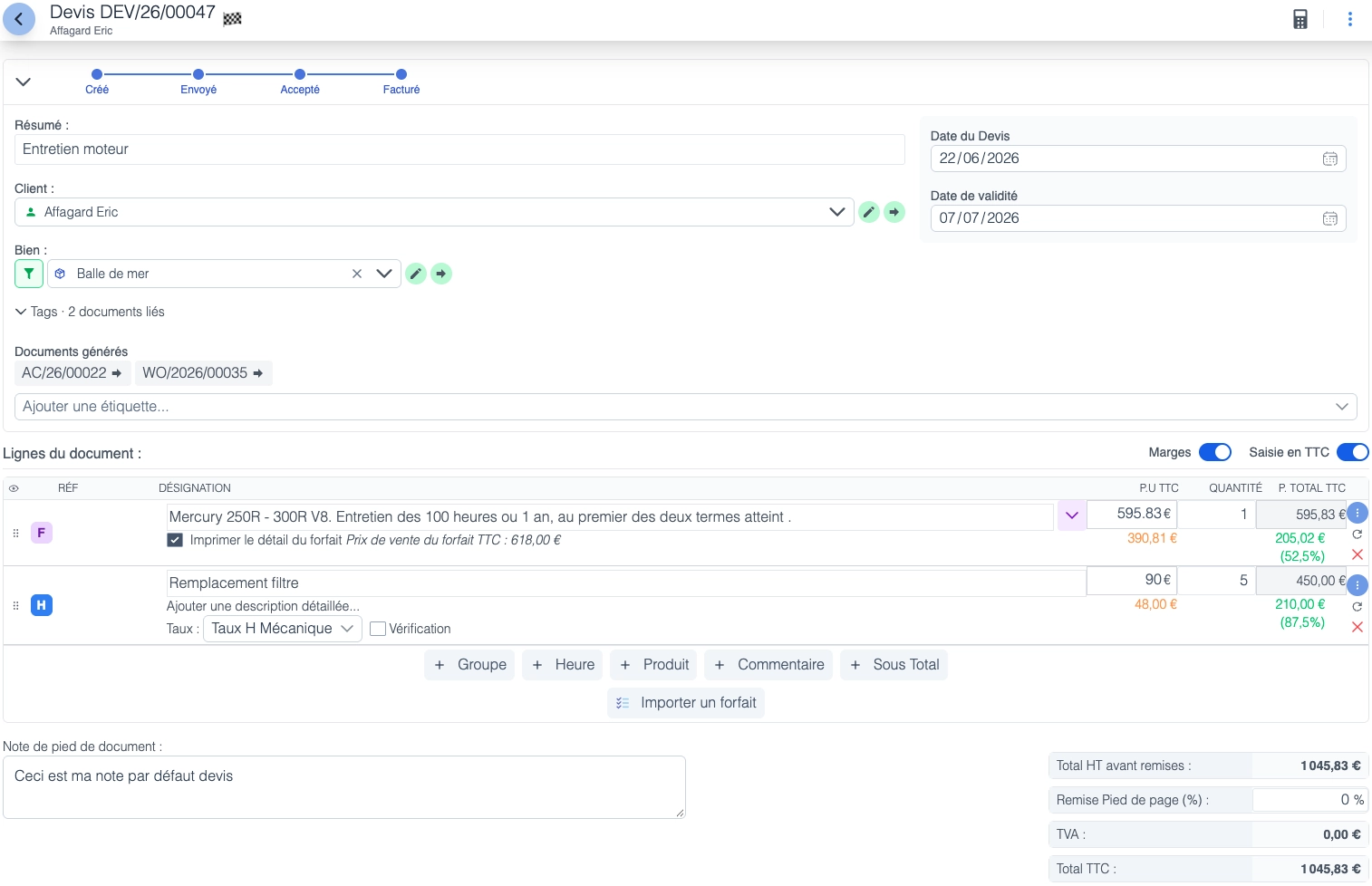
Create quotes and invoices on the same screen, separate labor from products, and track your gross margin as you enter each line.
Catalogs from major marine suppliers are built in and regularly updated, so you do not need to reenter product details.
Use packages to group reusable lines, such as hull cleaning with hoisting, washing, and consumables. Item prices and hourly rates update when you add the package.
Once the job is complete, invoice the work order in one click. Payment status and the invoice history show its approval, email delivery, and reminders.
Electronic signatures on quotes make customer approval easier.
Delivery notes linked to customer orders help you track what was handed over to the customer.
Quotes, customer orders, work orders, and invoices together in the customer record.
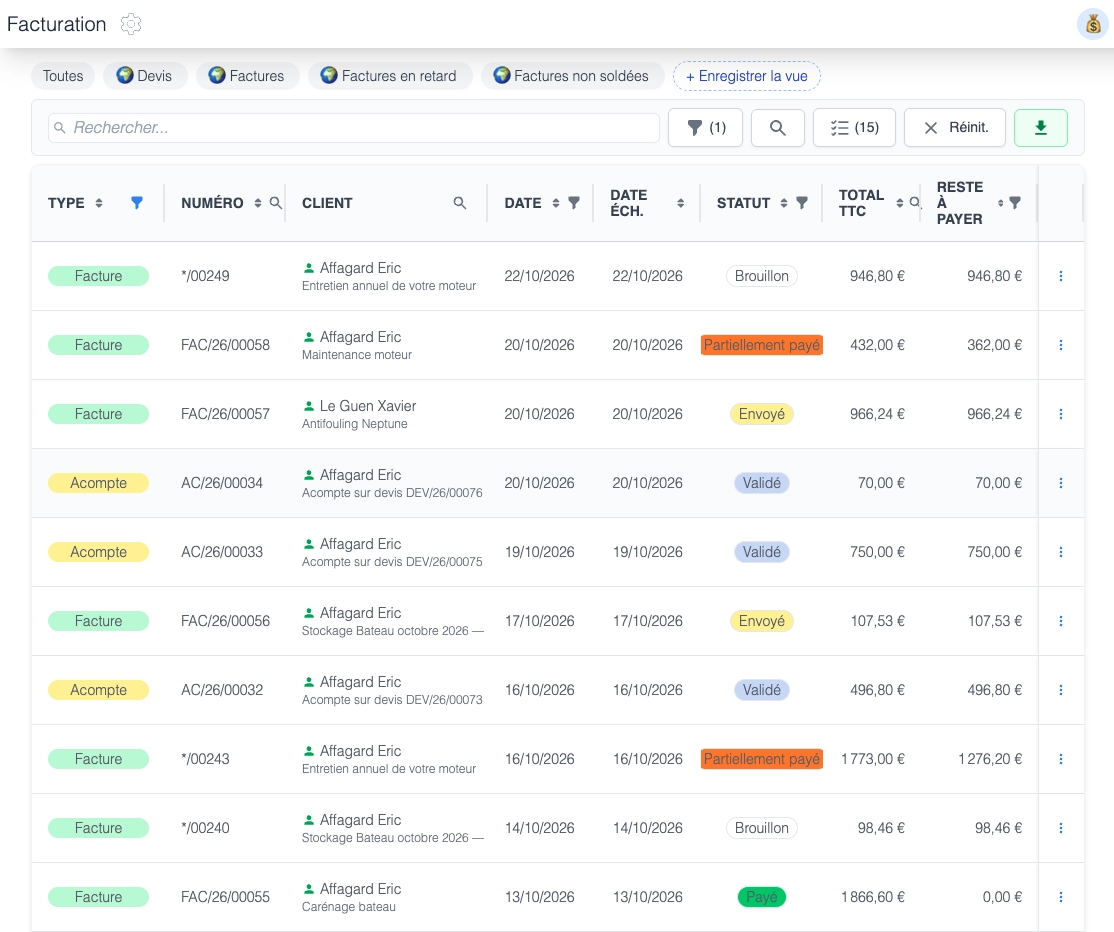
Make payments easier and find the details you need for every invoice.
A payment QR code is generated automatically on the invoice. When your customer scans it, your boatyard's bank details and the remaining amount due are prefilled for the bank transfer.
Connect your bank account to see incoming transfers and track payments from Nooti.cc.
Match incoming transfers to their invoices without reentering each payment. Invoice status reflects its payment.
Schedule automatic reminders for overdue invoices or send them by email in one click. Customize the message for your customer.

Nooti.cc includes electronic invoicing: Factur-X invoices, a connection to a registered platform, and transmission of issued invoices.
Receive your supplier invoices directly in Nooti.cc through its connection to a registered platform.
Sending and receiving electronic invoices are included in your subscription at no extra cost.
Discover electronic invoicing30-day free trial - No credit card required